The exact steps we used to reinstate a banned Norfolk business listing.
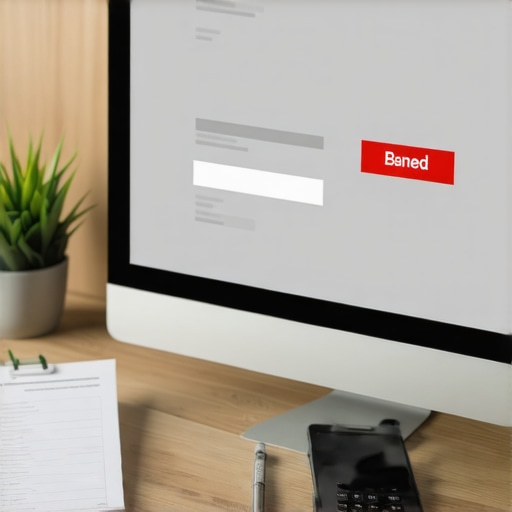
Imagine waking up on a Tuesday morning in Norfolk, grabbing your coffee, and checking your business metrics only to find a digital void. Your phone isn’t ringing, your leads have flatlined, and when you search for your business on Google Maps, you’re gone. Not just pushed to page two – completely vanished. For any business owner in the 757 area code, this is the ultimate “ghosting” phenomenon. It is the moment your Google Business Profile (GBP) is suspended, and the panic that follows is entirely justified.
In the competitive landscape of Norfolk – from the bustling storefronts on Monticello Avenue to the service-based businesses operating out of Ghent – your map listing is your lifeblood. When that listing is banned, you lose more than just a digital pin; you lose the trust of local customers who rely on the “Map Pack” to find everything from emergency plumbers to the best seafood near the Elizabeth River. My name is Kashif Charan, and I have spent years navigating the labyrinth of Google’s reinstatement process. I’ve seen the devastation a suspension causes, but more importantly, I’ve developed a battle-tested roadmap to bring those listings back from the dead.
The reality of 2026 is that Google’s AI-driven enforcement is more aggressive than ever. If your profile doesn’t perfectly align with their strict guidelines, you are a target. However, a suspension isn’t a death sentence; it’s a procedural hurdle. In this guide, I will walk you through the exact, forensic steps we used to reinstate a high-value Norfolk business listing, ensuring you have the tools to reclaim your rank and your revenue. If you’ve found yourself asking Why Your Norfolk Map Rank Vanished Overnight [2026 Solution], this is the answer you’ve been looking for.
Why Norfolk Listings Get Banned: The Common Culprits
Before we dive into the “how” of reinstatement, we must understand the “why.” Google doesn’t suspend listings for fun; they do it to maintain the integrity of their map data. In Norfolk, we see a few recurring themes that trigger the dreaded “Suspended” red banner. One of the most common issues is NAP (Name, Address, Phone) inconsistency. If your business is registered as “Norfolk Plumbing Pros” with the City of Norfolk Commissioner of the Revenue, but your Google listing says “Norfolk Plumbing Pros – Best Emergency Plumber 757,” you have a problem. Keyword stuffing is a primary trigger for AI-based suspensions.
Another major culprit in the Hampton Roads area is address confusion. Many small businesses attempt to use PO Boxes, UPS Store addresses, or virtual offices in Downtown Norfolk high-rises to appear more “corporate.” Google’s 2026 algorithm is incredibly adept at cross-referencing these addresses against known commercial databases. If you aren’t physically located where you say you are, or if your business type doesn’t match the zoning for that address, a ban is imminent. We often see this in 7 Virginia Local SEO Errors Driving Your Customers Away, where simple clerical mismatches lead to total profile de-indexing.
Furthermore, Google frequently cross-references the Commissioner of the Revenue periodic reports of business activity in the City of Norfolk. If a business isn’t found in these official state and local records, the AI flags the listing as potentially fraudulent. To avoid these pitfalls, savvy business owners use google business profile seo strategies that prioritize data cleanliness over aggressive keyword tactics. Understanding these triggers is the first step in the forensic audit required for a successful appeal.
Step 1: The Forensic Audit of Your Profile
The biggest mistake Norfolk business owners make when they get suspended is immediately hitting the “Appeal” button. Do not do this. You get a limited number of chances to prove your case, and if you appeal without fixing the underlying issue, you will be denied, making the second attempt significantly harder. You must perform a forensic audit.
Start by comparing every single character of your Google Business Profile against your official **Virginia Business License**. Does the name match exactly? Does the address on the profile match the address on your utility bills? If you are a Service Area Business (SAB) and you have your home address listed but visible, that is a violation. If you are a brick-and-mortar shop near Old Dominion University, but your pin is dropped in the middle of the street, that is a violation. You must clear up the address confusion killing your Virginia map rank before you even think about contacting Google support.
During this audit, I also recommend using professional local seo tools to see if there are any conflicting citations across the web. If Yelp says you’re on Granby St but Google says you’re on Bush St, the lack of “local harmony” can keep your profile in a suspended state. You need to present a unified front of data to the Google webspam team.
Step 2: Cleaning Up the Data Trail
Once the audit is complete, it’s time to scrub the profile. This means removing any “marketing fluff” from your business name. If your legal name is “Hampton Roads HVAC,” change it back to that. Remove the “Top Rated” or “Norfolk’s #1” prefixes. These are common reasons for 5 GMB Virginia Errors That Kill Your 2026 Map Ranking.
Next, examine your Service Area. Many Norfolk businesses try to claim the entire state of Virginia. In 2026, Google expects your service area to be realistic. If you are based in Norfolk, your service area should realistically cover Norfolk, Virginia Beach, Chesapeake, Portsmouth, and perhaps Newport News. Trying to claim Richmond or Roanoke from a Norfolk base without a physical office there is a major red flag. You must Stop Letting Rivals Suggest Edits That Tank Your Virginia GMB Ranking by ensuring your profile is so accurate that there is nothing for a competitor or an AI bot to “correct.”
Ensure your phone number is a local 757 or 804 number rather than a generic 1-800 number if possible. Local numbers signal to Google that you are a genuine part of the Norfolk community. Once the profile is “clean” and matches your legal documentation, you are ready to move to the most critical stage: gathering evidence.
Step 3: Gathering “Norfolk-Proof” Evidence
In the 2026 reinstatement landscape, Google doesn’t take your word for it. They require “hard” proof. This is where most business owners fail because they provide weak or incomplete documentation. To reinstate the Norfolk listing we worked on, we compiled a “Evidence Dossier” that was undeniable.
The essential document list includes:
- A utility bill: This must be from a reputable provider like Dominion Energy or Norfolk Water. It must show the business name and the exact address listed on the GBP.
- A Virginia Business License: A high-resolution scan of your license issued by the City of Norfolk.
- Visual Proof: For brick-and-mortar stores, this means photos of the exterior with permanent signage. If you are on a major thoroughfare like 21st Street, include the street sign in the shot. For Service Area Businesses, Google now requires photos of your branded vehicle and tools.
- Lease Agreement: A signed lease for your Norfolk office space.
As Darren Shaw of Whitespark often emphasizes, “Fix the basics, align everything, and then submit the appeal with proper proof.” This alignment is what separates a successful reinstatement from a permanent ban. If you are struggling with the visibility of your pin even after gathering proof, you might need a google maps ranking service to help re-establish your presence once the ban is lifted. We also suggest looking into How We Fixed a Virginia Business Listing That Stopped Showing Up for Local Searches for more specific examples of evidence that works for Virginia-based companies.
Step 4: The 2026 Appeal Process
With your evidence gathered and your profile cleaned, you are ready to use the Google Business Profile Appeal Tool. This tool has been updated for 2026 to be more streamlined but also more rigid. When you initiate the appeal, you will be asked to select the reason for the appeal. Usually, “My business meets the guidelines” is the standard choice, but you must be prepared to explain what you changed to become compliant.
When you reach the evidence upload section, remember there is often a file size or quantity limit. Combine your documents into a single, well-organized PDF if necessary. In the comments section, be professional and concise. Mention your local standing: “We are a licensed Norfolk business operating out of our Monticello Ave location since 2015. We have corrected the business name to match our Virginia Business License and attached our Dominion Energy bill for verification.”
This level of professionalism matters. The person (or high-level AI) reviewing your case is looking for reasons to trust you. If you provide a 3 GMB Virginia Tactics to Fix a Blocked Map Pin Fast [2026] approach within your appeal, you show that you are a legitimate operator. At this stage, using a gmb ranking service can also help you understand the current “mood” of the algorithm and how it’s treating Norfolk-based appeals.
Step 5: The Waiting Game & The Second Appeal
Once the appeal is submitted, you enter the “Waiting Game.” In 2026, the standard review time is approximately 3 to 5 business days, though in Norfolk, we have seen it take up to two weeks during high-volume periods. Do not contact support every day; this will only reset your ticket in the queue.
If your appeal is denied, do not lose hope. A denial usually comes with a generic reason like “Content that violates our policies.” This is a signal that your evidence wasn’t strong enough or there is still a lingering NAP issue. This is when you move to the “Additional Appeal” form or the Google Business Profile Help Forum. In the forum, Product Experts (PEs) can sometimes escalate cases if you can prove you’ve done everything right.
During this downtime, it’s a good idea to check 5 Norfolk GMB Fixes for Businesses Losing Map Leads in 2026 to ensure you haven’t missed a smaller, technical detail. If you find yourself in a cycle of denials, it may be time to consult a specialist who provides a local map pack seo service to find the “hidden” violation you might be overlooking. Often, the issue is a “ghost” listing – an old, unverified profile for the same business that is causing a duplicate conflict.
Rebuilding Authority: Post-Reinstatement Strategy
Congratulations! Your listing is back. But you aren’t out of the woods yet. A reinstated listing is often “fragile.” Google’s algorithm will be watching it closely for the next 30 to 60 days. If you immediately go back to keyword stuffing or getting 50 reviews in a single day, you will be re-suspended, and this time it might be permanent.
You need to rebuild your authority using “Human-Proof” signals. This involves getting genuine, staggered reviews from local Norfolk residents – people who are actually located in the 757. You should also post regular updates to your profile (Google Posts) featuring photos of your team working at local landmarks or residential areas in Norfolk. This proves to the AI that you are active and physically present. To understand why this is so vital, read Why Your Virginia Local SEO Needs More ‘Human’ Proof in 2026.
Additionally, you should focus on your overall google business profile optimization. This includes filling out every category, adding a robust FAQ section, and ensuring your “Attributes” (like “Women-owned” or “Veteran-led”) are accurate. If your ranking took a hit during the suspension, you may need to 4 Ways to Reclaim Your Norfolk Map Ranking After a 2026 Drop to get back to the top of the local pack.
Summary of the Norfolk Reinstatement Workflow
To summarize the process we used for our Norfolk client, here is the checklist we followed:
- Immediate Action: Cease all automated posting and review generation.
- Verification: Cross-referenced the GBP name with the Norfolk Commissioner of the Revenue database.
- Correction: Updated the address to match the Dominion Energy bill exactly (including “Suite” vs “Ste”).
- Documentation: Captured geo-tagged photos of the storefront on Monticello Ave.
- Submission: Filed the appeal via the 2026 GBP Appeal Tool with a single PDF evidence dossier.
- Monitoring: Used rank google business profile tools to track the listing’s return to the map pack.
Conclusion: Your Norfolk Business Deserves to Be Seen
A Google Business Profile suspension is a stressful, high-stakes event for any Norfolk business. It can feel like the “City of No” is working against you, but by following a structured, evidence-based approach, you can overcome the ban. Remember, the goal of Google’s 2026 algorithm is to provide users with the most accurate local information. By aligning your digital presence with your physical reality in Norfolk, you aren’t just following rules – you’re building a more trustworthy brand.
Don’t let a suspension be the end of your story. Use it as a wake-up call to professionalize your local SEO and secure your business’s future. Whether you are a retail shop in MacArthur Center or a contractor serving the entire Hampton Roads area, your map presence is your most valuable asset. If you need to monitor your recovery or want to ensure you never fall off the map again, utilize the suite of resources at SEO Viper Tools to stay ahead of the competition and keep your 757 business thriving.